
🔗 USB Cable Import
USB Cable Import
1. Windows PC
You need to install iTunes on your computer. (Alternatively, you can use other third-party tools.)
- Install and open iTunes on your computer.
- Connect your iPhone, iPad, or iPod touch to the computer using the USB cable that came with your device.
- Click on your device in iTunes.

In the left sidebar, select "File Sharing", then choose "One Player" from the app list in the middle.
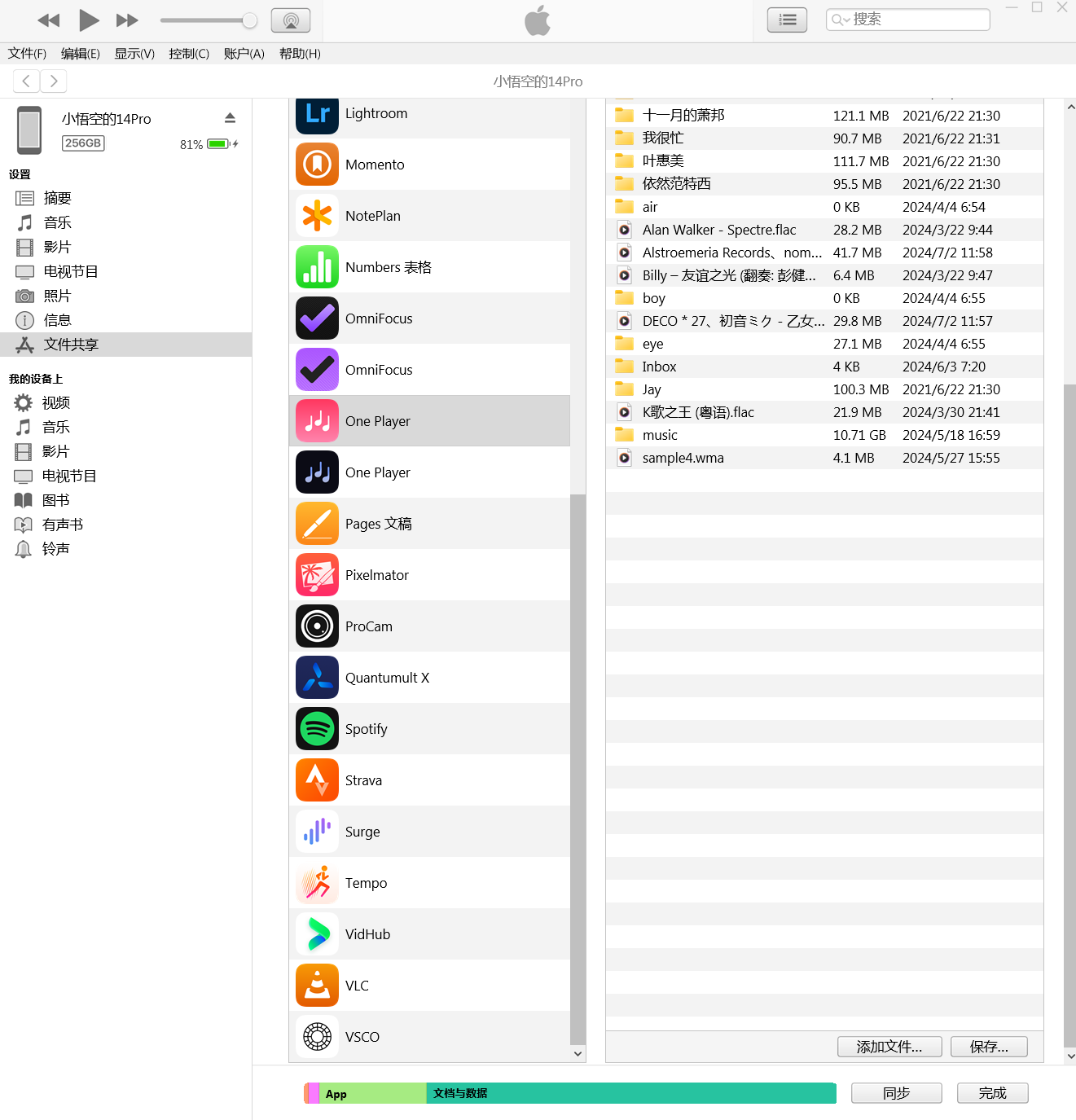
datacable-import-zh-2.png In the documents list on the right side of iTunes, scroll to the bottom and click "Add". Select one or more files from your computer that you want to transfer, then click "Add".

datacable-import-zh-3.png After the transfer is complete, go to One Player's settings and tap "Scan Local Audio Files" to finish the import.
2. Mac
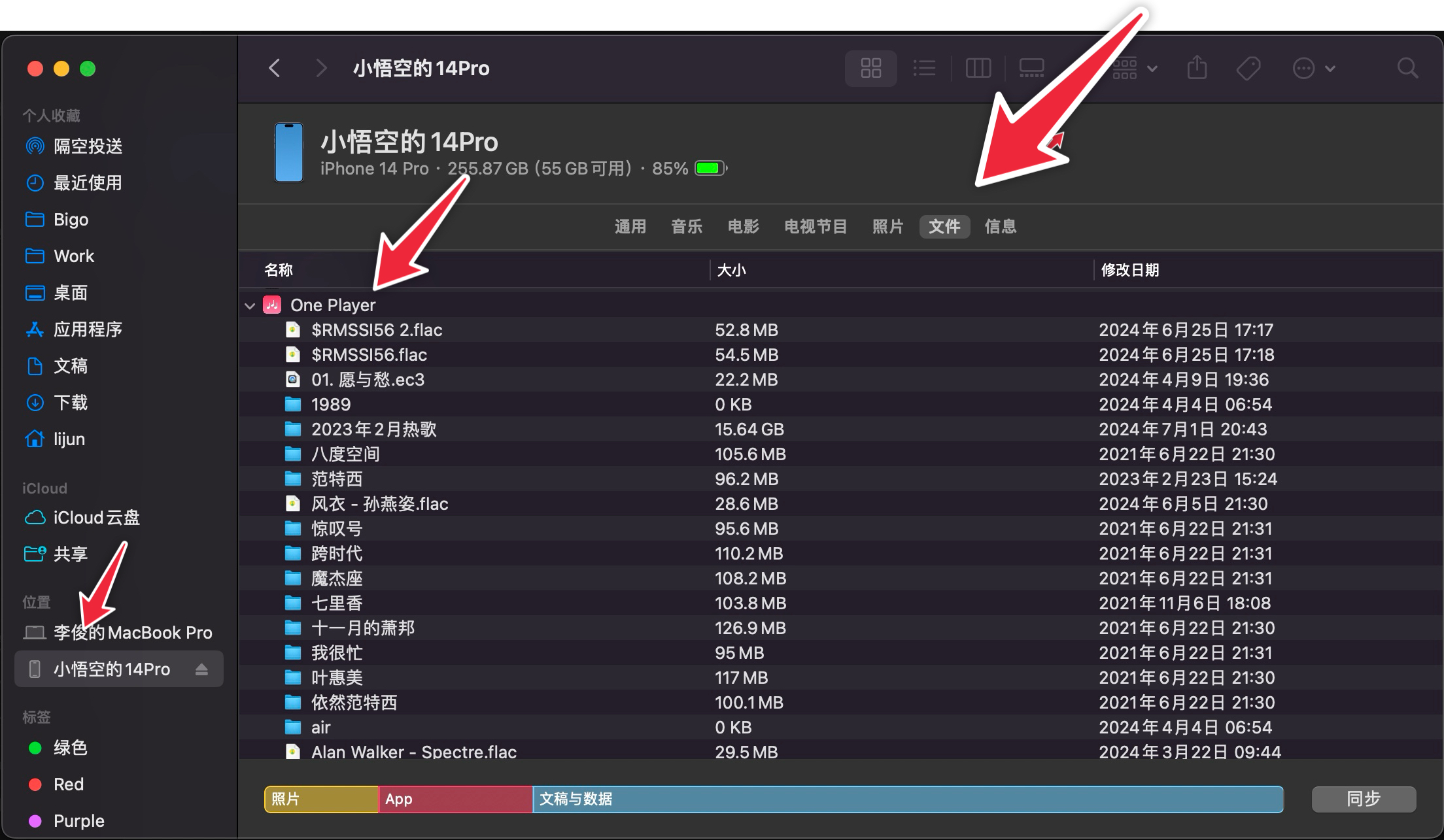
Open Finder, click on your iPhone in the sidebar, select "Files", then find and open "One Player".
Drag your music files into the "One Player" folder. After the transfer is complete, go to One Player's settings and tap "Scan Local Audio Files" to finish the import.